Home - Canon India




News & Press Release
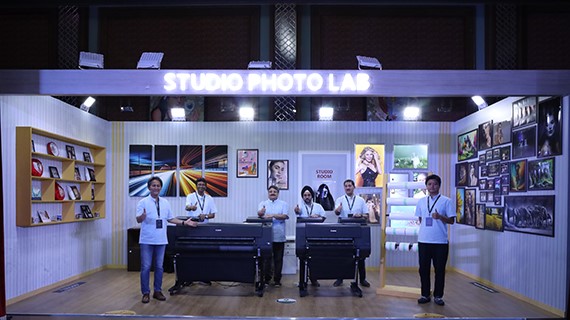
Canon India Bolsters Presence in Large Format Printing with Launch of 7-colour imagePROGRAF GP Series & Expanded 12-Color imagePROGRAF PRO Series
16 May 2024 — Canon India, a leader in digital imaging solutions announced the launch of six new cutting edge large-format printers. Among these, a new 7-colour category was announced as part of the imagePROGRAF GP series (GP-526S/546S/566S) tailored for the graphics art market harnessing the new LUCIA PRO II pigment ink to deliver impressive print quality for bright, eye-catching posters & photographs. Further, strengthening its 12-colour category with its imagePROGRAF PRO series lineup, three new printers were unveiled (PRO-526/546/566) with superior print quality for photography and fine art applications, promising print longevity of up to 200 years.
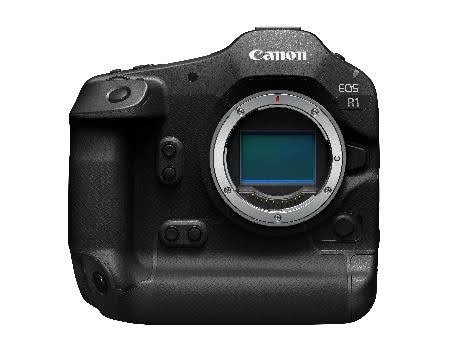
Canon develops EOS R1 as the first flagship model for EOS R SYSTEM New image processing system further improves AF and image quality
15 May 2024 — Canon Inc. announced today that it is currently developing the EOS R1, a full-frame mirrorless camera, as the first flagship model for the EOS R SYSTEM equipped with RF mounts and is aiming for a 2024 release.

Canon’s SELPHY Series of Compact Photo Printers Celebrates 20th Anniversary
16 Apr 2024 — Canon Inc. announced today that its SELPHY series of compact photo printers, which enables users to easily print high-quality photos and continues to offer a wide range of ways to enjoy photo printing, will celebrate its 20th anniversary in 2024.
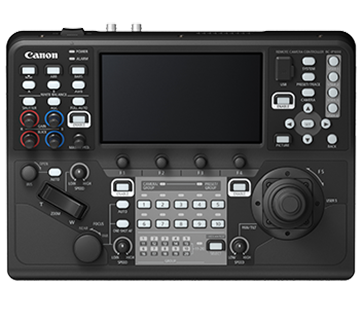
Canon India Redefines Broadcast Excellence with Flagship 4K Remote PTZ Camera Controller & 4K Indoor Remote PTZ Camera CR-N100
15 Apr 2024 — Canon India, a leading company in digital imaging solutions, further solidifies its market leadership in India's video production and broadcasting sector by introducing two advanced products, RC-IP1000 and CR-N100 in India. The RC-IP1000 is a top-of-the-line remote camera system controller for remote video production workflows to meet the needs of broadcast stations and event livestreaming. Whereas the CR-N100 is an indoor remote PTZ camera featuring a compact body and pan-tilt-zoom (PTZ) catering to India’s rising need for advanced streaming and video recording technology in spaces like meeting rooms and classrooms.